Victor Seydoux's Portfolio


My Work
UX Design


Designed Wireframes
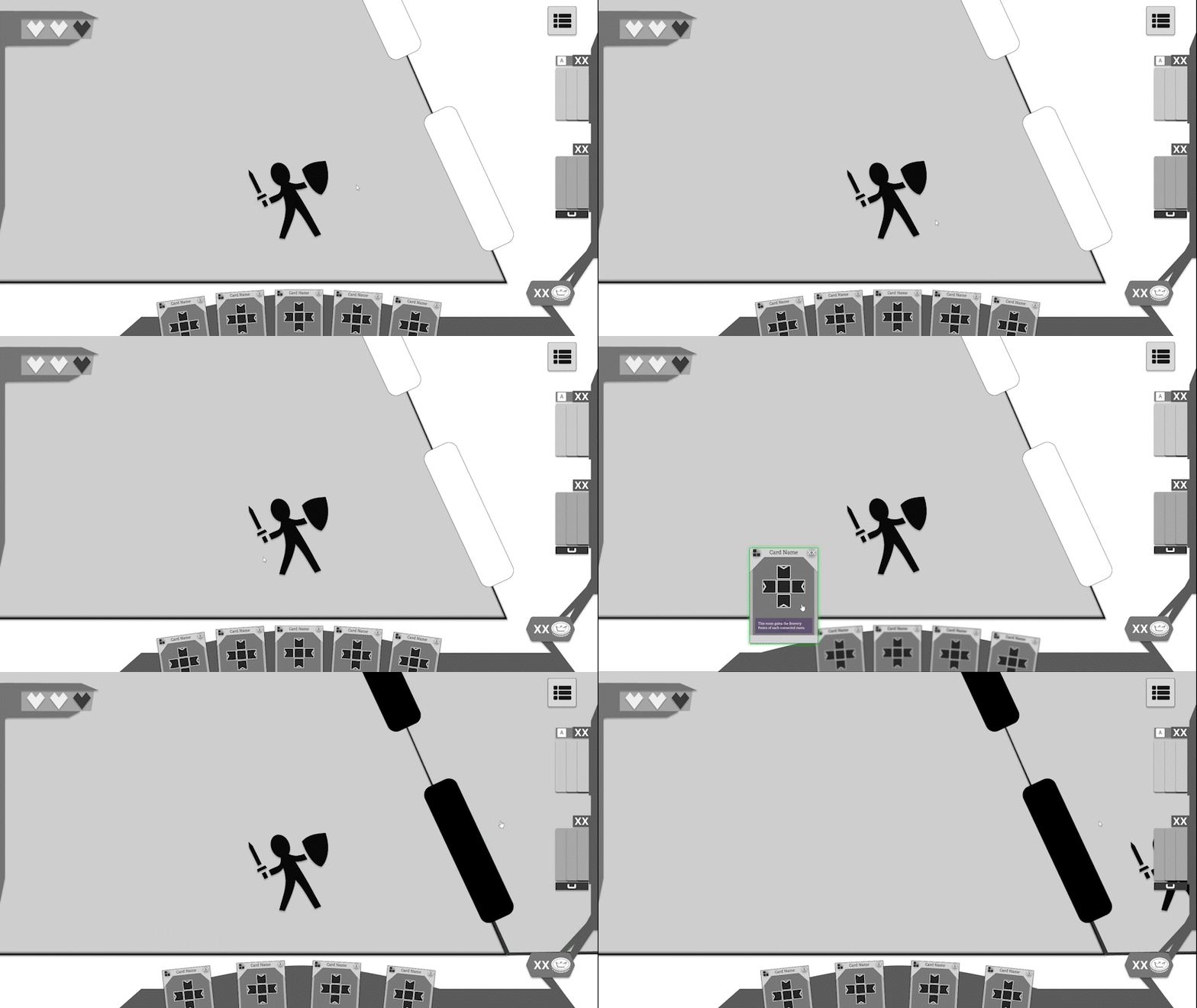
To ensure the player could quickly understand all the information needed to play the game, I have designed many wireframes to test layouts and ideas.
I primarily focused on the game's HUD, which underwent several iterations based on feedback from UX designers and observations made during user tests.
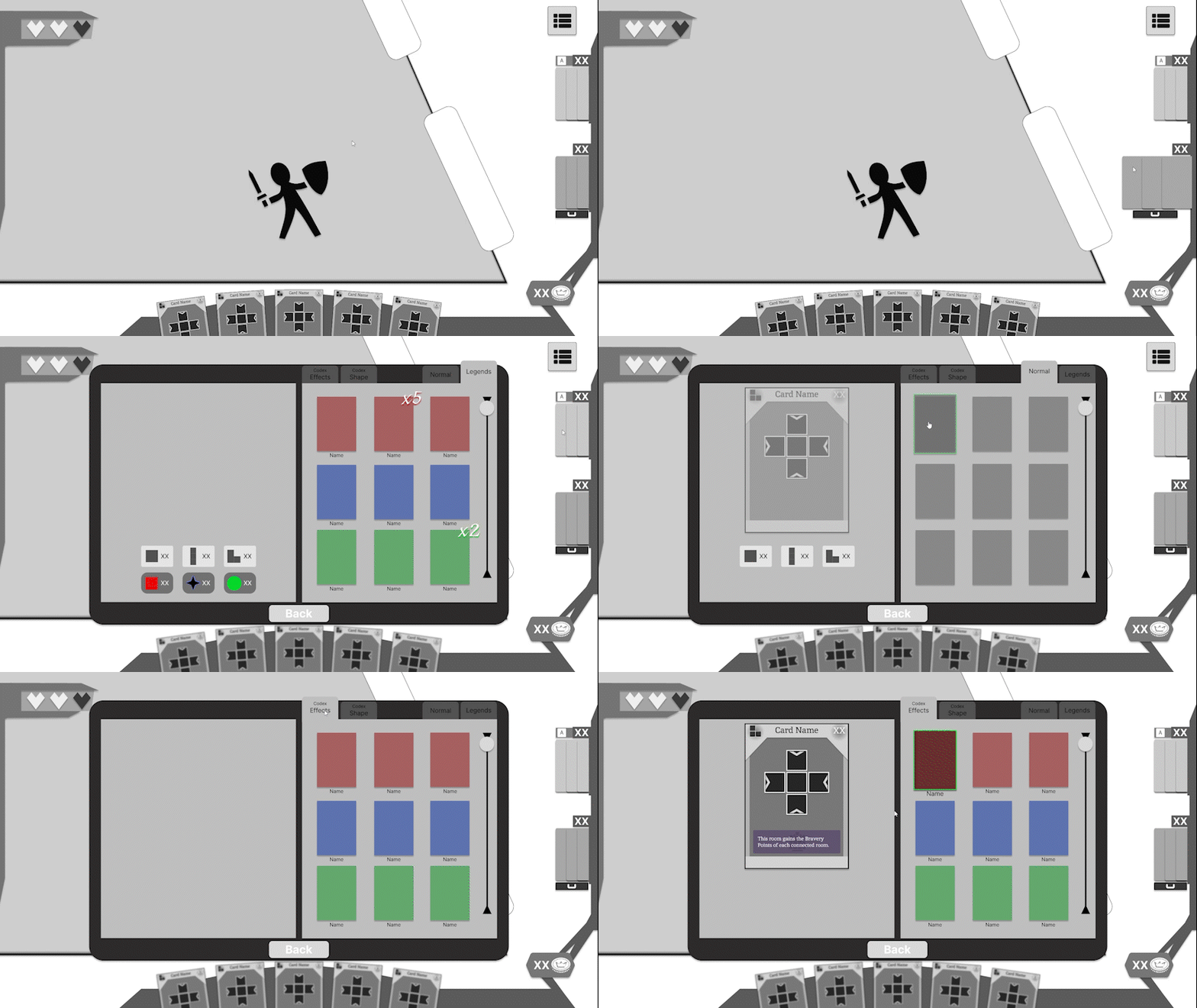
I also created the design for the menus and the codex with the objective of making them immersive and quick to use, allowing the player to focus primarily on the game experience.
I collaborated closely with the programmers and illustrators to confirm the viability of my designs within the production timeline and considered their suggestions to quickly test them as drafts.
Created Wireflow
After creating each wireframe, I used them to develop the wireflow of the game to understand how the player would interact with the interface and identify areas for improvement. This also assisted the programmer in implementing the UI in-game, accelerating the development process.
Prototyped in Figma
After creating the wireflow, I used Figma tools to make prototypes from my wireframes, allowing us to test the navigation and see if it worked smoothly and as intended.
Doing this enabled me to quickly test different designs to represent the same concept, allowing me to choose the best and ultimately end up with the most efficient and immersive interface from all the wireframes I designed without losing any time.
This also provided a better representation of how the UI would look, allowing the other developers to suggest improvements and validate the designs more quickly.

Card Design
For this project, I also designed the layout for the cards. One of my objectives was to place all the key information at the top of the card so the player can consult it quickly without the need of hovering their hand. I made many different iterations throughout the development, and the layout evolved significantly from the first to the last design I created depending on the feedback gathered during user test.
QA Testing


Created Bug Report Protocol
To keep track of the bugs found and help other developers fix them, I created a protocol on how to report bugs and follow their current status by creating tickets on Jira.
Each bug should be defined by its severity and the priority. The tester must then provide an exact description of the bug, indicate the steps to reproduce it, and add images or videos that can visually illustrate the bug.
Once reported, the correct developer will be designated to fix it. When the fix is ready, a tester needs to perform a regression test to ensure the has been resolved, and then the ticket can be closed.


Envision Test Plans
In order to ensure that each build meets the standards we have set, I created a Sanity Test Plan containing test cases for each feature in the game, from tutorial to the save feature. I ran these tests each time a new build was made to verify if new bugs appeared and also to see if the previous ones have been correctly fixed.
When testing a feature, if no bugs were found, I noted that the test case had passed. If a bug was found, I noted the test case as failed and included a direct link to the bug ticket.
A the end of our beta production phase, I created a Regression Test Plan with nearly 400 test cases to verify all game features and all possible interactions between them, ensuring potential bugs were identified before release. These tests were conducted weekly in addition to the more regular Sanity Tests until the end of the production.
Communication with the team
Since these test plans can seem intimidating to read, I wrote a report each time I completed one. The report clearly announced the results of the test cases, the newfound bugs with links to their respective tickets, and the bugs that were fixed to celebrate our advancements.
